
How it works
Behind the campaigns
Visitors only ever see the popup. These captures from this site’s own dashboard show what the people running the campaigns work with. The dashboard itself is not open to visitors.
Campaign checker
Why is this popup not showing?
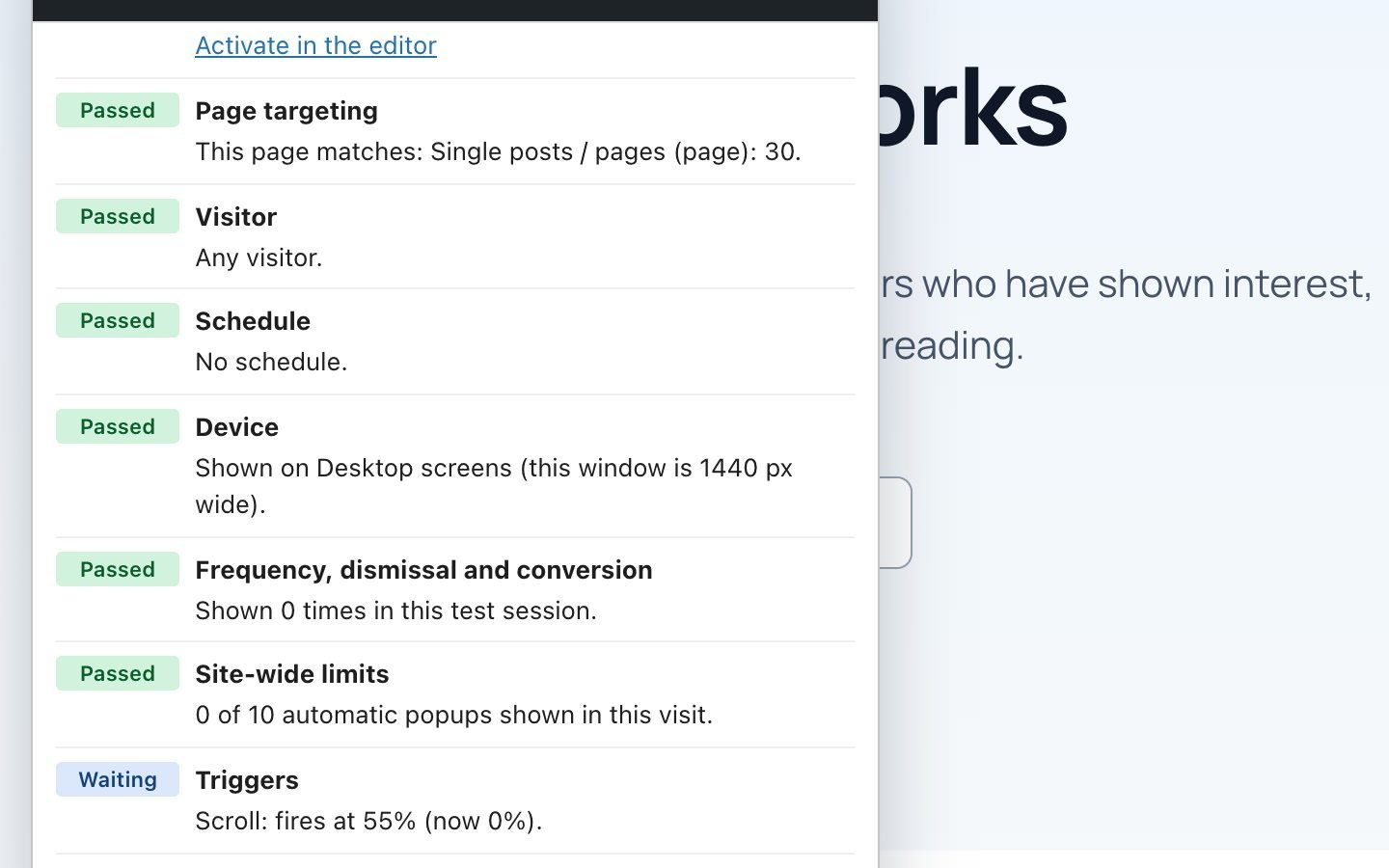
A manager opens any page with test mode on and the checker lists every rule for the campaign under test: page targeting, device, schedule, each trigger, frequency history and site-wide limits. Each line is marked as passed, waiting or blocked, with the reason in plain words.
A blocked example
Blocked, waiting, passed
Here the visitor-rules campaign is blocked by its own frequency history: it has already been shown in this tab. The checker says so, and offers to clear the test history and try again.
Safe test mode
Try an inactive campaign on the live site
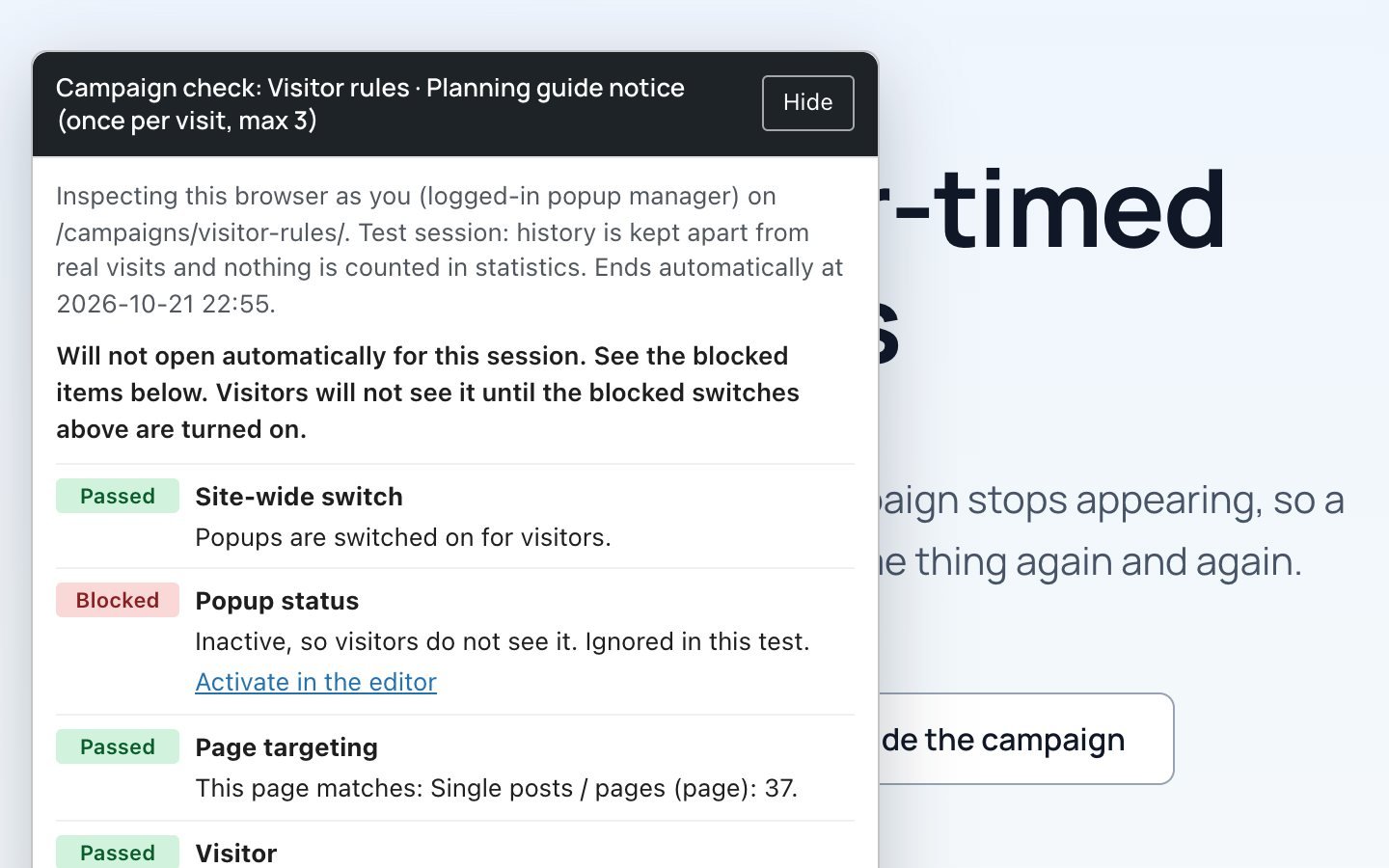
Test mode is switched on per campaign by a logged-in manager. While it is on, that manager sees the campaign on every page, even when it is inactive. Visitors see nothing, test views are not counted, and test history is stored separately from real history.
Statistics
Views, closes and responses per campaign
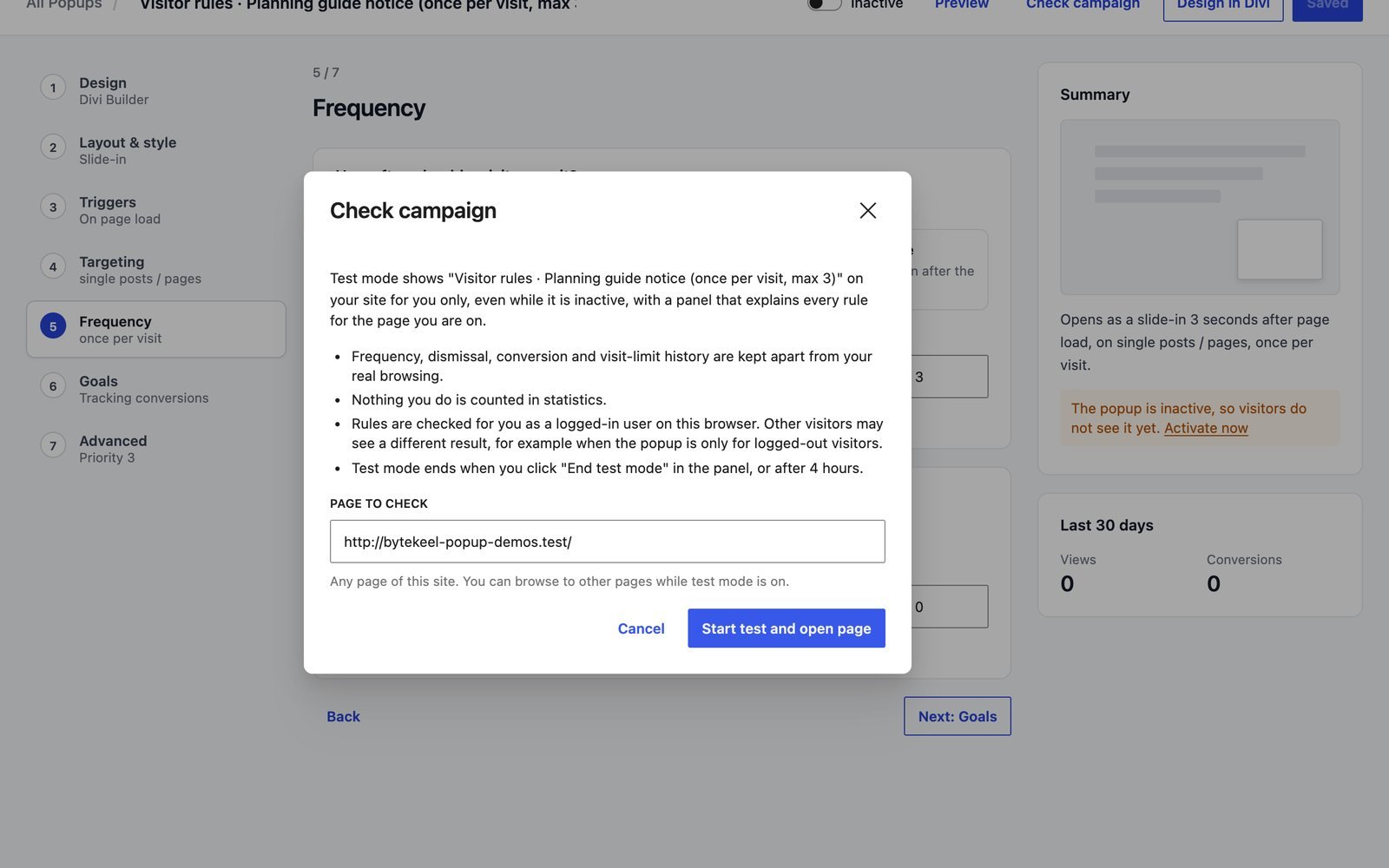
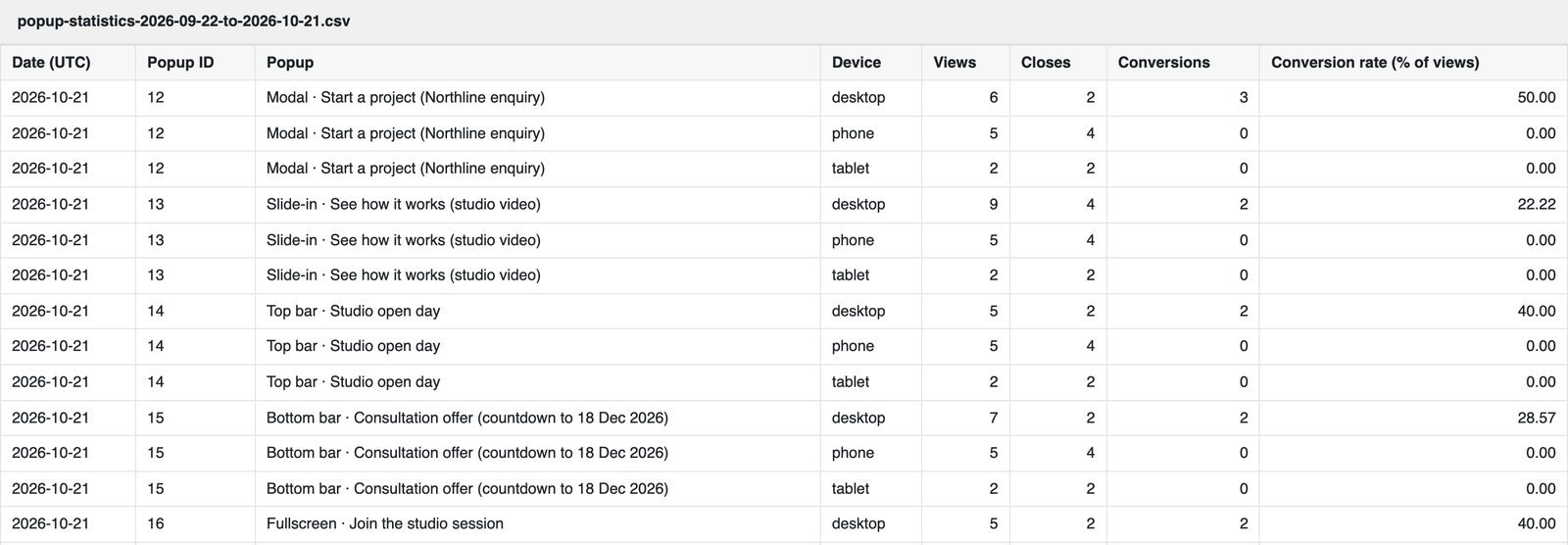
Popup Engine counts aggregate views, closes and responses for each campaign and device, and works out the response rate. It stores no IP addresses or visitor profiles. The figures in this capture come from scripted test visits to this demo site.
CSV export
Take the numbers elsewhere
The same daily totals can be downloaded as a CSV file for a spreadsheet or a client report. The capture shows this site’s real export file, laid out as a simple table for reading.
Export and import
Reuse a campaign on another site
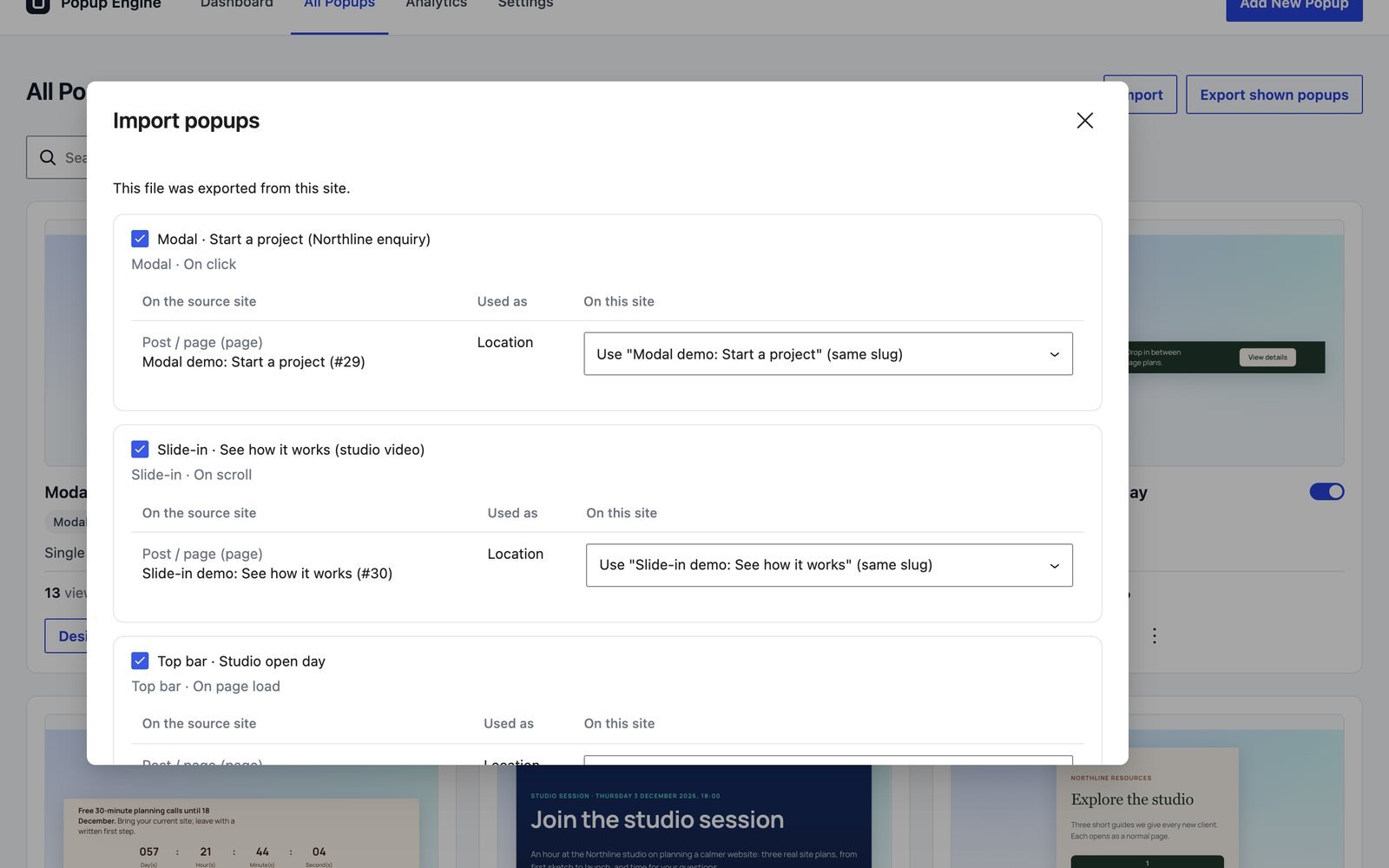
Campaigns export as a JSON file with their Divi design and rules. On import, Popup Engine shows a review first: what will be created, which targeted pages need mapping, and anything that will be skipped. An export holds campaigns only, not media files or the rest of the site.
Site-wide limits
A ceiling for automatic popups
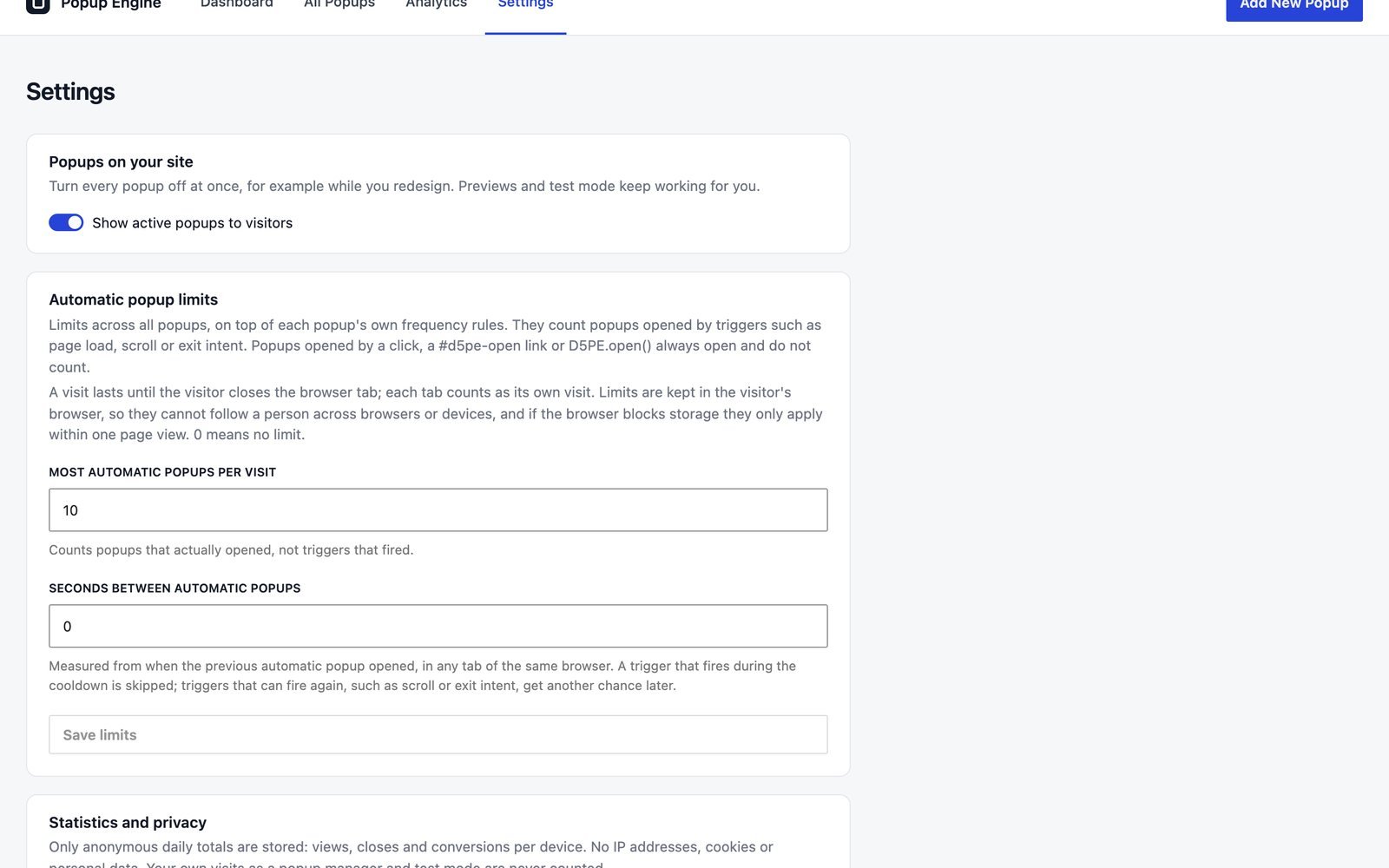
An optional limit on how many automatic popups one visit can see, and a cooldown between them. On this demo site the limit is ten per visit, with no cooldown, so you can tour every demo in one visit.
What the statistics are, and are not
- Aggregate counts of views, closes and responses, per campaign, device and day, with response rates.
- Not a CRM: form messages are delivered by Divi’s Contact Form, not stored by Popup Engine.
- Not visitor profiles: no IP addresses, names or cookies are recorded for statistics.
- Not revenue attribution or a measure of what visitors prefer.